Choose Which Site You Want To See



Magix is a creative software brand offering tools for video editing, audio production, and digital media creation aimed at a broad range of users.
Its products cover entry level to more advanced needs, providing options for those exploring editing for the first time as well as experienced users seeking additional control. The software focuses on accessible workflows with features that support music composition, visual projects, and multimedia adjustments. Magix may suit individuals looking for structured interfaces and guided functions, and it often appeals to hobbyists, content creators, and small teams working on varied media tasks.
Magix is a software company best known for producing creative tools that support music production, video editing, audio restoration, and multimedia creation. Established in the 1990s, the brand has built a presence within the consumer and prosumer creative software market. Its catalogue features accessible digital tools designed for users who want structured editing environments without the technical complexity often associated with advanced production platforms.
The brand positions itself in the mid‑market space. It appeals to users seeking a balance between ease of use and functional depth. While many long‑established creative software options focus primarily on professional studios or enterprise‑level workflows, Magix tends to focus on individual creators, hobbyists, students, and small‑scale production users who want clarity and structure when working with audio or video content. This positioning shapes both the features and the overall user experience that the brand delivers.
Over the years, the company has expanded its product line across several creative categories, covering music production, video creation, audio cleaning, and more specialised digital tools. The brand’s approach prioritises guided interfaces, integrated learning elements, and a workflow that supports experimentation without requiring extensive technical knowledge. This has contributed to ongoing familiarity among users who prefer straightforward editing processes.
Readers exploring a Magix review often seek to understand whether the brand’s software tools align with their creative needs. Expectations should be set around a structured, approachable environment with a variety of entry points, depending on experience level. As with many digital editing platforms, the overall experience may vary depending on system capability and user familiarity, but the brand’s design philosophy generally leans towards accessibility and clarity.
Browse the full range on the Magix website.
This category includes software designed for digital music creation and editing. Magix offers tools that feature virtual instruments, loop libraries, and structured editing environments suitable for entry‑level and intermediate producers. Users can expect track‑based workflows and accessible interfaces aligned with the brand’s focus on clarity.
The video editing range centres on consumer and prosumer tools for assembling video projects. These products typically include timeline editing, transitions, effects, colour controls, and export options suitable for personal, educational, or small business content. The focus is on usability and stability rather than advanced studio‑level systems.
This category supports users who need to improve audio clarity, reduce noise, or enhance recordings. Such tools are positioned for podcasters, home video users, and individuals working with older recordings. The interface usually presents straightforward controls that guide users through the process.
Magix provides downloadable sound packs and loop collections that integrate with its music production tools. These libraries cater to various genres and allow creators to build compositions quickly, aligning with the brand’s focus on accessibility.
This includes software for tasks such as slideshow creation, screen recording, and photo‑video narration. These tools are designed for users producing family videos, educational content, or community projects where simplicity and speed are priorities.
Some products include optional upgrade routes that introduce new features, content, or performance enhancements. These support users who want to expand their capabilities over time while staying within the same ecosystem.
Where available, certain applications offer mobile support for capturing ideas or performing light edits. These companion tools generally extend desktop workflows rather than replace them.
Magix positions itself as an accessible creative software provider. Its approach emphasises systems that help users start producing content quickly. The interfaces tend to highlight clarity, step‑based workflows, and familiar editing layouts.
The brand focuses on downloadable software, which appeals to users who prefer to work offline or maintain programmes locally. Its positioning in the market remains centred on individual creators, hobbyists, and growing practitioners. This allows the company to operate between high‑end professional platforms and lightweight mobile tools, creating a mid‑market niche with structured features.
Interacting with Magix software typically involves menu‑driven navigation, clear workspace divisions, and guided tooltips. Many tools are built around the timeline model, which is familiar to users moving from simpler editing environments. Setup processes tend to be straightforward, reflecting the brand’s emphasis on approachability.
Information within the interfaces is generally presented clearly, with labelled tools and accessible documentation. Users with older or lower‑spec systems may experience variations in performance, which is common across multimedia software. Overall, the experience is shaped by structured layouts that support experimentation.
Magix is known for its creative software covering music production, video editing, and audio restoration. The brand focuses on accessible workflows that appeal to beginners and hobbyists. Its long‑running products offer a structured environment for multimedia creation.
Magix operates by offering downloadable creative tools designed for offline use. The software is built around structured interfaces and timeline‑based editing, which help users navigate tasks such as music or video creation. Product tiers allow users to select the level of functionality they need.
Typical users include hobbyist musicians, small video creators, students, and individuals working on personal multimedia projects. The accessibility of the tools makes them suitable for users who prefer guided editing environments rather than complex professional systems.
It can be suitable for beginners due to its guided controls, clear layouts, and integrated learning tools. New users often appreciate the structured workflow which reduces the early learning curve. Suitability varies depending on individual preferences and creative goals.
Magix compares as a mid‑market option that sits between entry‑level mobile apps and advanced professional suites. It prioritises usability and content libraries rather than high‑end studio features. This balance appeals to users focusing on personal or small‑scale creative work.
Users should know that the brand’s tools are designed for structured creative editing with a focus on accessibility. System performance may influence the experience, as with most multimedia software. Exploring product tiers helps users find the option that aligns with their needs.
Magix occupies a familiar space in the creative software landscape, offering tools that emphasise clarity, guidance, and accessibility. Its product range spans music production, video editing, and audio restoration, with additional content libraries that help users develop ideas more easily. The brand focuses on users who prefer structured workflows rather than complex professional platforms, making it a recognised option for hobbyists, learners, and small‑scale creators.
The positioning remains mid‑market, with a balance of functionality and usability that supports a wide range of personal and casual creative tasks. While the exact experience may vary depending on individual preferences and system performance, many users value the straightforward navigation and guided structure found across the software suite. As a result, the brand retains ongoing appeal among those who want digital tools that evolve with growing creative skills.
Overall, a Magix review shows a brand focused on helping users engage with multimedia creation in a clear and approachable way.
Ready to shop? See the full range on the Magix website.
This guide was written by AI. It does not represent the views or opinions of the website owner.
Updated October 2026

From the market leader for video software:MAGIX presents Video Pro X, a high-performance video editing program for professional and ambitious users with high standards. Highly developed video technology, optimal workflow, a flexible user interface, and diverse functions specifically for the special...

Show-Me-MAGIX-Whiteboard-Cleaner-Conditioner-Show-me-WCC-Show-Me-Magix-Whiteboard-Cleaner-250ml-is-a-double-action-whiteboard-cleaner-that-cleans-and-conditions-in-one-go-Show-Me-Magix-Whiteboard-Cleaner-250ml

MAGIX Audio and Music Lab 2014 Premium sets standards in sound optimization. The user interface is designed to make working with the program a breeze and offers a vast selection of tools for sound optimization providing complete control of all parameters. One for all:MAGIX Audio & Music Lab 2014...

MAGIX Digital DJ 2 is a DJ program that offers everything you need to intuitively play, scratch and remix. Simply create perfect DJ sets and bring your own music collection to life with just a few clicks! Whether your songs come from iTunes or from your computer\'s hard drive, simply drag & drop...

With MAGIX Fastcut you can automatically cut your video material with dynamic action templates that even match the beat of the music. Even if you don't have any previous experience, it just takes a minute to create your own unique videos with footage from action cams, smartphones, tablets or other...

MAGIX Music Maker Hip Hop Edition 4 provides you with everything you need to make your own Hip Hop songs! With more than 1, 000 brand new sounds, loops and audio effects your PC will be turned into a virtual recording studio with record function and mixer. Without previous experience you can...

MAGIX Music Maker Dance Edition 4 offers countless possibilities to make your own productions a reality - your own tracks for the club! With more than 1, 000 sounds, loops and audio effects your PC will be turned into a recording studio with record function and mixer. Without prior knowledge you...

MAGIX Video easy HD is the first video editing program made for the whole family. It\'s so easy to use that even beginners without any prior knowledge will be able to create breathtaking videos in just a short time. Transform footage of family get-togethers, vacations, or special events into DVDs...

MAGIX Video Pro X6 is a video editing solution geared towards the unique requirements of ambitious and professional users. The multi-award-winning editing suite features an unrivaled range of powerful tools for detailed video and audio editing. Improved layout and performance guarantee an effective...

Music on - noise off. The MAGIX Audio Cleaning Lab 2014 enables quick and convenient access to all of the powerful features for digitizing, editing and optimizing audio files. Thanks to a vast selection of professionally configured presets, even beginners can achieve impressive results in no time...

MAGIX Music Maker Rock Edition 4 provides you with everything you need to make your own rock songs! With more than 1, 000 sounds, riffs and audio effects your PC will be turned into a recording studio with record function and mixer. Without any prior knowledge you can make your own rock sound:with...
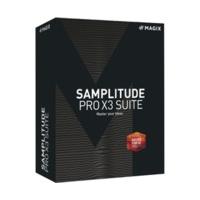
Sequencer / Series: Magix Samplitude / Platform: Windows / Version: Full Version / Licence Type: Single User / supported Interfaces: VST, WDM, ASIO, ReWire, MME, ARA / enthaltene Produkte: Independence Sampler, Vandal, Melodyne essential, Zynaptiq Orange Vocoder ME / minimale Prozessoren: 64-Bit...

Video Cutting Software / Series: Magix Movie Edit / Version: Full Version / Platform: Windows / Language: Multilingual / Distribution Form: ESD (Electronic Software Distribution) / Licence Type: Single User / minimale Betriebssysteme: Microsoft Windows 10, Microsoft Windows 7, Microsoft Windows 8,...

Arranger software, Audio signal editing, Sequencer / Series: Magix Music Maker / Platform: Windows / Version: Full Version / Licence Type: Single User / Language: German / Suitable for: Mastering, Recording, Mixing / supported Interface: VST / Genres: HipHop, RnB, Reggaeton, Dance, Pop, Disco,...
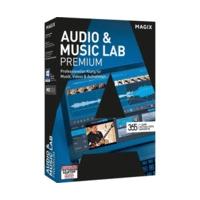
Audio signal editing, Audio tool / Series: Magix Music Cleaning Lab / Platform: Windows / Version: Full Version / Licence Type: Single User / Language: German / supported Interface: VST / Usage: Audio Restoration, Post production / minimale Betriebssysteme: Microsoft Windows 10, Microsoft Windows...
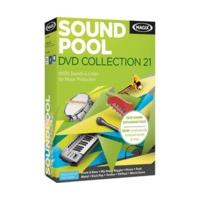
Sound Library / Series: Magix Soundpool / Platforms: Mac, Windows / Version: Full Version / Licence Type: Single User / Language: German / Genre: Mixed styles / minimale Betriebssysteme: Apple MacOS X, Microsoft Windows 7, Microsoft Windows Vista, Microsoft Windows XP / minimale Prozessoren: 64-Bit...

Sequencer / Series: Magix Music Maker / Platform: Windows / Version: Full Version / Licence Type: Single User / Language: Multilingual / Features: FX effects / Suitable for: Mixing / supported Interface: VST / Genres: HipHop, RnB, Reggaeton, Rock, Metal, Alternative, Dance, Pop, Disco, House /...

Sequencer / Series: Magix Music Maker / Platform: Windows / Version: Full Version / Licence Type: Single User / Languages: German, English / supported Interface: VST / minimale Betriebssysteme: Microsoft Windows 7, Microsoft Windows Vista, Microsoft Windows XP / minimale Prozessoren: 64-Bit...
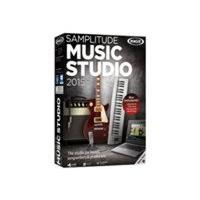
MAGIX Samplitude Music Studio 2015 allows ambitious musicians & bands to make high-quality music productions and offers you everything you need to not only develop new ideas, but also to realize them in professional quality, e.g. with multitrack recordings in 24-bit/96 kHz studio quality.

MAGIX Video easy HD is the first video editing program made for the whole family. It\'s so easy to use that even beginners without any prior knowledge will be able to create breathtaking videos in just a short time. Transform footage of family get-togethers, vacations, or special events into DVDs...

Music on - noise off. The MAGIX Audio Cleaning Lab 2014 enables quick and convenient access to all of the powerful features for digitizing, editing and optimizing audio files. Thanks to a vast selection of professionally configured presets, even beginners can achieve impressive results in no time...

Full of ideas - to inspire new ideas:MAGIX Music Maker 2015 impresses with numerous small and big ideas that make producing music as easy as possible. Making music is not rocket science, but rather an opportunity to enjoy life and have fun.

Create amazing hair-raising soundtracks, even if you\'re a beginner. High-quality virtual instruments, simple controls and a huge selection of sounds, loops and effects. Intuitive user interface The intuitively designed user interface allows you to produce satisfying results in no time at all, even...

MAGIX Music Maker turns making music into a real experience. Just get started and make your own exciting songs from the start! Use practical info videos and numerous options to develop your own musical style now - without any prior skills. It\'s all here! Thousands of sounds, realistic instruments,...

MAGIX Music Maker Hip Hop Edition 4 provides you with everything you need to make your own Hip Hop songs! With more than 1, 000 brand new sounds, loops and audio effects your PC will be turned into a virtual recording studio with record function and mixer. Without previous experience you can...

MAGIX Video Pro X7 is the perfect editing software for intuitive and powerful video production. This multi-award-winning video editing suite is geared towards the unique requirements of ambitious and professional users, and offers an unrivaled range of powerful post-production tools. Video editing...

MAGIX Music Maker Rock Edition 6 lets you play music like a true rock star. No experience required. Drag & drop to use over 1500 rocking sounds or play them with the virtual guitar. Bring out the lead singer Record your own vocals and sounds with a microphone and edit them in studio quality. The...

MAGIX Audio Cleaning Lab 2016 was developed to let you get the most out of your audio material in the shortest possible time. Fade out noise and get away from the daily grind too. Easy handling, thematic sound settings, and professional audio technology make this software a true multi-tool for...

MAGIX Video Easy is the ideal program for beginners. The clearly laid-out interface, numerous help functions, and many practical wizards will transform your recordings into unforgettable in films in record time - no prior skills are required. Don't let your precious recordings simply gather dust on...

With MAGIX Music Maker software, making your own music has never been simpler. Produce your own songs easily on your PC using the mouse and keyboard. Feel good tracks will be pumping through your speakers in just a few simple clicks!

Music Maker Premium is a virtual studio with 6, 500 included sounds, intuitive drag & drop controls, 17 instruments and high-quality pro features for mixing & mastering. Product Features More sounds, more instruments, even more fun - Let yourself be inspired. Music Maker Premium contains a huge...

MAGIX Audio Cleaning Lab is optimized specifically for digitizing vinyl records and restoring audio recordings. Experience your recordings in top audio quality with the program's combination of 1-click solutions, intuitive controls and high-quality professional tools such as spectral display....

Discover the wide range of user-friendly features offered by MAGIX Movie Edit Pro 2016 and create films that will impress your family and friends. With over 1, 000 templates for fantastic effects, menus and sounds, along with helpful wizards, editing videos is simple. Product Features Perfect video...

Get truly amazing video editing results with MAGIX Movie Edit Pro 2016 Plus. A unique range of powerful, flexible tools, an intuitive interface and cinema-quality effects let you bring your video projects to life exactly the way you want. Product Features Pure video action Movie Edit 2016 Plus...
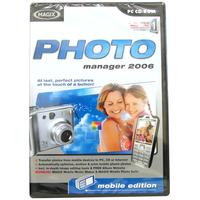
The perfect introduction! MAGIX Photo Manager 2006 makes it easy for you to: archive, optimize and present photos in one easy-to-use program your personal manager!

MAGIX cleaner has a unique Stayclean ingredient that helps keep whiteboards stay clean for longer. Dry-wipe ink cleans off with ease - no ghosting, smudging or ink residue left behind. Also removes permanent marker and ballpoint pen ink. 250ml spray bottle.

Web Designer 10 Premium is a high-performance solution for creating a top quality web presence without the need for learning complicated programming skills. This program offers maximum design freedom and a vast selection of professional features. Design your website using the high-quality templates...

Use Xara 3D Maker 7 to create versatile templates, freely importable graphics, impressive 3D titles, objects and animations from your own text in the blink of an eye, you can then export them in your desired format;photo, graphic or animated video file. You have the choice of over 1000 objects,...

With Web Designer 10 you can create impressive multimedia websites in just a few steps without any previous experience. Start with one of the website templates or design your homepage from scratch. The program\'s combination of modern technology and easy-to-use drag and drop interface makes web...

With Web Designer 10 you can create impressive multimedia websites in just a few steps without any previous experience. Start with one of the website templates or design your homepage from scratch. The program\'s combination of modern technology and easy-to-use drag and drop interface makes web...
 Soundtrap
 Movavi
 Wondershare
 Flashback Express
 Magix Multimedia Software
 Cyberlink
 Filmstro
 Roxio Software
 NCH Software
 Clip Champ
 A Shampoo
 Nero