Roxio Software

Roxio Software is a multimedia brand offering tools for managing, editing, and converting digital media across common formats.

Quick overview

Its products cover areas such as disc burning, video editing, screen recording, and media organisation, aiming to support users who want straightforward ways to handle personal content. The software may suit individuals looking for accessible, feature-focused applications without requiring advanced technical skills. It typically appeals to home users, hobbyists, and those who need practical tools for everyday media tasks. Features and interfaces can vary across versions, so users may benefit from reviewing product details before choosing.

  • Range of multimedia tools for everyday use
  • Options for video editing, disc burning, and screen recording
  • Interface designed to support varied experience levels
  • Suitable for personal and hobbyist media projects
  • Clear feature sets across different software versions

Introduction

Roxio Software is a long‑standing digital media brand offering tools for disc burning, file conversion, media management, and creative editing. It is known for consumer‑focused software that supports tasks such as backing up data, creating DVDs, editing photos or videos, and managing large digital libraries. Over many years in the digital media space, the brand has positioned itself as an accessible and practical option for users who want structured tools for managing, preserving, or enhancing their content without needing advanced production environments.

Roxio Software operates within the consumer software market, particularly the media utility and creativity segment. Its product range is often associated with disc authoring and multimedia handling, although it has expanded into broader creativity functions including photo enhancement and video editing. This positions the brand as an option for users who want software that is functional, straightforward, and built around specific everyday tasks rather than specialist studio‑grade production.

The brand’s catalogue includes long‑established products such as Creator and Toast, which serve as multi‑tool suites for media organisation and content creation. These products carry recognition due to their continuity in the market and their focus on approachable interfaces. The software is generally presented as suitable for home users, hobbyists, and individuals who need regular control over their media collections. Overall, expectations for Roxio Software centre on usability, practicality, and familiarity, rather than highly complex or professional‑tier functionality.

Why People Choose Roxio Software

  • A wide product range covering disc burning, media conversion, editing, and related tools.
  • Accessible design suited to users who prefer structured, task‑led interfaces.
  • Clear organisation of features within suites such as Creator or Toast.
  • Brand longevity that provides a sense of familiarity for many digital media users.
  • Integrated toolsets that reduce the need for multiple standalone applications.
  • Options tailored to common home and hobbyist workflows.

Who Is Roxio Software Best For?

  • Users who want straightforward tools for burning discs, copying media, or organising files.
  • Individuals with large home media collections who benefit from structured management features.
  • People interested in entry‑level photo or video editing without advanced technical demands.
  • Those who value bundled creative suites rather than separate single‑purpose apps.
  • Users who prefer offline desktop software for privacy or workflow continuity.
  • Hobbyists who create DVDs, slideshows, or home media projects.

Browse the full range on the Roxio Software website.

Product or Service Categories

Media Creation Suites

Roxio Software is widely recognised for its all‑in‑one multimedia suites, which combine video editing, photo enhancement, disc burning, and file management. These suites are structured to give users an integrated environment for routine media tasks. Typical features include timeline‑based video editing, audio adjustment tools, slideshow creation, and options for converting or exporting files into various formats.

Disc Burning and Authoring Tools

The brand offers specialised tools for burning CDs, DVDs, and Blu‑ray discs. These applications allow users to duplicate discs, archive files, create audio compilations, and design disc menus. The focus is on reliability, structured workflows, and compatibility with common disc formats.

File Conversion and Media Transfer

Conversion utilities are a core part of the Roxio range. These tools support transferring media between devices, converting file types, and preparing content for different playback environments. The emphasis is on simplicity and familiarity, making them suitable for users who prefer clear controls.

Video Editing Tools

Roxio Software includes entry‑level video editing features designed for everyday projects. These tools support trimming, combining clips, adding titles, and applying effects. They are often used for home videos, event recordings, and basic content creation.

Photo Editing and Enhancement

Basic photo editing applications provide functions such as cropping, colour correction, blemish repair, and image organisation. These tools are geared towards users who want accessible features for enhancing personal photos rather than advanced photographic manipulation.

Screen Recording and Capture Tools

Some Roxio products include screen recording features for capturing tutorials, gameplay, or software demonstrations. These tools typically offer options for audio capture and export in various formats.

Data Backup and Archiving

Backup tools support the creation of data archives on discs or other storage media. These features appeal to users who prefer physical copies of important files and want structured backup processes.

Media Management and Organisation

Media organisation tools help users sort, label, and manage large libraries of videos, photos, and audio files. These functions align with Roxio’s focus on practical home‑use management.

DVD Authoring and Menu Design

Authoring tools enable the creation of themed menus, chapter markers, and structured DVD layouts. These functions support users producing physical media for events or personal collections.

Audio Editing and Enhancement

Some products offer audio‑specific tools such as noise reduction, basic mixing, track splitting, or format conversion. These features are designed for everyday audio tasks rather than advanced production.

Brand Approach, Values and Positioning

Roxio Software positions itself as a practical, consumer‑oriented brand focused on helping users manage, preserve, and enhance their digital media. The brand’s long history in disc authoring contributes to its familiarity among users who value traditional media workflows alongside digital ones. Its operating approach centres on providing integrated toolsets that simplify tasks such as editing, conversion, or archiving.

The emphasis on structured interfaces and guided workflows reflects an accessible positioning. Rather than pursuing specialist professional markets, the brand aims to provide tools that support everyday digital media activities. This makes it relevant to users who want software that fits into home projects without requiring advanced technical knowledge.

Presentation, Usability and Customer Experience

Interacting with Roxio Software typically involves a clear, task‑orientated interface. Suites are laid out with menus organised by activity such as burning, editing, or conversion. This helps users navigate directly to the tool they need. For those accustomed to older versions, the continuity in design can make upgrading or transitioning smoother.

The overall experience is geared towards usability. Information is generally presented in a straightforward manner and tools are grouped logically. Many users approach the brand for familiar tasks such as backing up files or creating physical media, and the software design reflects those common workflows. Accessibility features are present in varying forms across products, although the level of detail can vary depending on the suite.

Notable Features or Characteristics

  • Integrated toolsets that combine burning, editing, and media management.
  • Continuity in design that supports long‑term users of the brand.
  • Support for disc‑based workflows, which remain relevant for certain users.
  • Approachable editing tools suitable for home and hobbyist tasks.
  • Media conversion utilities that assist with format compatibility.
  • Options for organising and backing up digital collections.

FAQ Section

What is Roxio Software known for?

Roxio Software is known for its digital media tools, particularly disc burning, media conversion, and creative editing. It has built recognition through long‑running products that focus on accessibility and structured workflows. Many users associate the brand with practical tools for organising and preserving media collections.

How does Roxio Software operate?

Roxio Software operates by offering desktop applications that support editing, burning, backing up, and organising media. The software groups functions into suites to give users an integrated environment. The focus is on providing clear navigation and familiar tools suitable for everyday use.

Who typically uses Roxio Software?

The software is typically used by home users and hobbyists who need approachable tools for creating DVDs, editing photos or videos, converting files, or managing large media libraries. It can also suit users who prefer offline applications for their workflows.

Is Roxio Software suitable for beginners?

Roxio Software can be suitable for beginners because it focuses on clarity and guided workflows. The tools are designed to support common tasks without extensive learning curves. Users seeking highly advanced features may find the tools oriented towards mainstream rather than specialist use.

How does Roxio Software compare to alternatives?

Roxio Software compares to alternatives by emphasising integrated disc burning and media management tools. While some alternatives specialise in advanced editing or cloud workflows, Roxio takes a more traditional approach centred on offline functionality and everyday tasks.

What should users know before trying Roxio Software?

Users may want to know that Roxio focuses on familiarity, practical tools, and conventional workflows. Those who require highly specialised or professional‑grade features may find the software oriented more towards home and hobbyist use. Exploring the features within each suite helps users decide which tools fit their needs.

Key Takeaways

  • Roxio Software provides accessible tools for editing, disc burning, conversion, and media management.
  • The brand has long‑standing recognition within consumer media software.
  • Suitability tends to align with home users, hobbyists, and those who prefer offline functionality.
  • The focus is on structured workflows rather than advanced professional features.
  • Its integrated approach helps users manage multiple tasks within cohesive suites.

Summary

Roxio Software occupies a familiar position in the consumer digital media landscape. Its tools are designed to support everyday tasks such as disc burning, media conversion, basic editing, and library organisation. The brand maintains a practical and accessible approach, making it a recognised option for users who value clarity, offline functionality, and integrated toolsets.

The software is typically suited to home users and hobbyists who want reliable ways to manage their media collections or create simple projects. While not designed for specialist or professional‑grade production environments, the suites offer a breadth of features that can be helpful for personal use. The experience centres on logical navigation, continuity across product versions, and usability.

Overall, Roxio Software serves as a long‑established choice for individuals seeking structured tools to handle digital media tasks in a straightforward way. Its continuing presence in the market reflects ongoing appeal for users who prefer dedicated desktop software for their media workflows.

Ready to shop? See the full range on the Roxio Software website.

This guide was written by AI. It does not represent the views or opinions of the website owner.

Products matching Roxio Software

Updated October 2026

Prev12345Next

Sage 50 Payroll Up 15 Employees - Electronic Software Download
Sage 50 Payroll Up 15 Employees - Electronic Software DownloadSage 50 Payroll Up to 15 employees is a combined software and support solution designed to help you accurately manage payroll for up to 15 employees. It automatically calculates payments and... Click For Info
Tacx Flow PC Upgrade (Head unit & Software)
Tacx Flow PC Upgrade (Head unit & Software)Tacx Flow PC Upgrade (Head unit & Software) allows the Flow to be upgraded to a Virtual Reality trainer. This Upgrade PC contains a Virtual Reality interface that replaces the handlebar computer of... Click For Info
Vtech Innotab Software - Finding Dory
Vtech Innotab Software - Finding DoryVtech Innotab Software - Finding Dory. Join your favourite friends on their latest adventures! Play through the fun, interactive games, read the fun e-book and much more. Teaches animals and animal... Click For Info
Vtech Innotab Software-DC Super Friends
Vtech Innotab Software-DC Super FriendsVtech Innotab Software-DC Super Friends. Help batman and the super friends stop the mysterious attacks on Gotham City! Teaches reading, problem solving, spelling, vocabulary, logic, shape matching,... Click For Info
Avery afterBURNER Label System Software with Applicator 10 Inserts and
Avery afterBURNER Label System Software with Applicator 10 Inserts andEverything you need to create professional CDs. 10 inserts and 24 labels. For Professional CD labels and insertsIncludes software, applicator, 24 labels and 10 inserts20 premium matt and 4 photo... Click For Info
WAGO 857-811 Measuring Transducer with DIP switch and software
WAGO 857-811 Measuring Transducer with DIP switch and softwareWAGO Measuring Transducers with DIP Switch - Wago 857-811, The WAGO Measuring Transducer is a configurable temperature measuring transducer for thermocouples type J and K. Configured through DIP... Click For Info
Rigol BND-MSO/DS2000A Software Bundle Option
Rigol BND-MSO/DS2000A Software Bundle OptionRigol 4 Channel Digital Storage Oscilloscope, DS1100Z Series - Rigol BND-MSO/DS2000A, The Rigol BND-MSO/DS2000A is a Software Bundle Option designed for use with the MSO/DS2000 series of... Click For Info
Amprobe Tm-swa Rs232 Software and Cable
Amprobe Tm-swa Rs232 Software and CableAmprobe-TM-SWA-RS232-Software-and-Cable-Amprobe-TM-SWA-Allows-for-real-time-data-downloads-from-TMA10A-Anemometer-A-class-bluelink-href-https-www-rapidonline-com-Tools-Fasteners-Production-Equipment-T... Click For Info
Fluke FVF-SC2 Software Compatible with 1653 and 1654B
Fluke FVF-SC2 Software Compatible with 1653 and 1654BFluke-FVF-SC2-FlukeView-Form-Software-Compatible-with-1653-and-1654B-FLUKE-FLUKE-FVF-SC2-P-The-Fluke-FVF-SC2-Forms-Documenting-Software-with-Interface-Cable-is-the-ideal-way-to-expand-the-power-of-the... Click For Info
Tektronix TSL3000B TekSmartLab Software
Tektronix TSL3000B TekSmartLab SoftwareTektronix TSL3000B/TBX3000A TekSmartLab Network-Based Instrument Management - Tektronix TSL3000B, The TSL3000B is the server software for the TekSmartLab instrument management system. The software... Click For Info
Siemens 7LF4941-0 USB Adaptor and Software for SIEMENS Timer Clock...
Siemens 7LF4941-0 USB Adaptor and Software for SIEMENS Timer Clock...Siemens 56 Program Digital Time Switch 230V AC, Multi-Languages - Siemens 7LF4941-0, The Siemens 7LF4941-0 is a USB adaptor and Software for SIEMENS Digital Switches 7LF4521-0 (order code 55-7231)... Click For Info
SPS software Siemens 6AV6611-0AA51-3CA5
SPS software Siemens 6AV6611-0AA51-3CA5Integrated family of engineering tools for the development of SIMATIC HMI operator devices, ready-to-run under Windows 2000/XP Professional. The image and table editor offers many facilities which... Click For Info
SPS software Siemens 6AV6610-0AA01-3CA8
SPS software Siemens 6AV6610-0AA01-3CA8Integrated family of engineering tools for the development of SIMATIC HMI operator devices, ready-to-run under Windows 2000/XP Professional. The image and table editor offers many facilities which... Click For Info
SPS software Siemens SIMATIC S7 STEP7 V5.4 6ES7810-4CC10-0YA5
SPS software Siemens SIMATIC S7 STEP7 V5.4 6ES7810-4CC10-0YA5The SIMATIC industry software is a system of smoothly interlinking software tools for the automation equipment SIMATIC S7 / ET200. It makes comfortable functions available for all phases of an... Click For Info
Wasp MobileAsset Pro Software with HC1 Mobile Computer and WPL305 Desktop Printer
Wasp MobileAsset Pro Software with HC1 Mobile Computer and WPL305 Desktop PrinterEasily and accurately manage assets with the Complete Mobile HC1 Solution. This solution features the rugged HC1 mobile computer WPL305 desktop barcode printer and Wasp MobileAsset software.... Click For Info
Wasp MobileAsset Manager Enterprise Software with HC1 Mobile Computer and WPL305 Desktop Barcode Printer
Wasp MobileAsset Manager Enterprise Software with HC1 Mobile Computer and WPL305 Desktop Barcode PrinterEasily and accurately manage assets with the Complete Mobile HC1 Solution. This solution features the rugged HC1 mobile computer WPL305 desktop barcode printer and Wasp MobileAsset software.... Click For Info
Wasp MobileAsset Manager Standard Software with HC1 Mobile Computer and WPL305 Desktop Barcode Printer
Wasp MobileAsset Manager Standard Software with HC1 Mobile Computer and WPL305 Desktop Barcode PrinterEasily and accurately manage assets with the Complete Mobile HC1 Solution. This solution features the rugged HC1 mobile computer WPL305 desktop barcode printer and Wasp MobileAsset software.... Click For Info
microSDXC card 200 GB SanDisk Ultra Android Class 10, UHS-I incl. SD adapter, incl. Android software
microSDXC card 200 GB SanDisk Ultra Android Class 10, UHS-I incl. SD adapter, incl. Android softwaremicroSDXC card 200 GB SanDisk Ultra Android Class 10, UHS-I incl. SD adapter, incl. Android software Click For Info
microSDHC card 32 GB SanDisk Android Class 10, UHS-I incl. SD adapter, incl. Android software
microSDHC card 32 GB SanDisk Android Class 10, UHS-I incl. SD adapter, incl. Android softwaremicroSDHC card 32 GB SanDisk Android Class 10, UHS-I incl. SD adapter, incl. Android software Click For Info
microSDHC card 16 GB SanDisk Android Class 10, UHS-I incl. SD adapter, incl. Android software
microSDHC card 16 GB SanDisk Android Class 10, UHS-I incl. SD adapter, incl. Android softwaremicroSDHC card 16 GB SanDisk Android Class 10, UHS-I incl. SD adapter, incl. Android software Click For Info
microSDXC card 128 GB SanDisk Android Class 10, UHS-I incl. SD adapter, incl. Android software
microSDXC card 128 GB SanDisk Android Class 10, UHS-I incl. SD adapter, incl. Android softwaremicroSDXC card 128 GB SanDisk Android Class 10, UHS-I incl. SD adapter, incl. Android software Click For Info
microSDXC card 64 GB SanDisk Android Class 10, UHS-I incl. SD adapter, incl. Android software
microSDXC card 64 GB SanDisk Android Class 10, UHS-I incl. SD adapter, incl. Android softwaremicroSDXC card 64 GB SanDisk Android Class 10, UHS-I incl. SD adapter, incl. Android software Click For Info
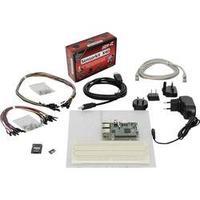
Raspberry Pi® 3 Model B 1 GB incl. PSU, incl. software
Raspberry Pi® 3 Model B 1 GB incl. PSU, incl. softwareRaspberry Pi® 3 Model B 1 GB incl. PSU, incl. software Click For Info
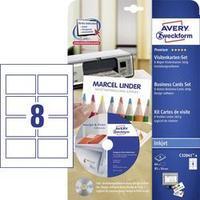
Printable business cards (smooth edge + design software) Avery-Zweckform C32041-8 85 x 54 mm 260 gm² White 64 pc(s)
Printable business cards (smooth edge + design software) Avery-Zweckform C32041-8 85 x 54 mm 260 gm² White 64 pc(s)Printable business cards (smooth edge + design software) Avery-Zweckform C32041-8 85 x 54 mm 260 gm² White 64 pc(s) Click For Info
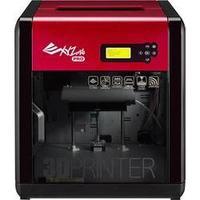
XYZprinting da Vinci 1.0 Pro 3D printer incl. software
XYZprinting da Vinci 1.0 Pro 3D printer incl. softwareXYZprinting da Vinci 1.0 Pro 3D printer incl. software Click For Info
Acronis True Image 2017 1 Computer - Electronic Software Download
Acronis True Image 2017 1 Computer - Electronic Software DownloadAcronis True Image is the fastest, easiest, most complete backup software on the market. Ensure the protection and security of your personal digital information by backing up everything - operating... Click For Info
Acronis True Image 2017 5 Computers - Electronic Software Download
Acronis True Image 2017 5 Computers - Electronic Software DownloadAcronis True Image is the fastest, easiest, most complete backup software on the market. Ensure the protection and security of your personal digital information by backing up everything - operating... Click For Info
Acronis True Image 2017 3 Computers - Electronic Software Download
Acronis True Image 2017 3 Computers - Electronic Software DownloadAcronis True Image is the fastest, easiest, most complete backup software on the market. Ensure the protection and security of your personal digital information by backing up everything - operating... Click For Info
Norton Security Premium 3.0 25GB 1 User 10 Devices - Electronic Software Download
Norton Security Premium 3.0 25GB 1 User 10 Devices - Electronic Software DownloadSee more, analyze more and stop more online threats How long does it take for malware to infect your computer? If you use free or other inferior security software, maybe not long at all.... Click For Info
Norton Security Deluxe V.3.0) 1 User 3 Devices - Electronic Software Download
Norton Security Deluxe V.3.0) 1 User 3 Devices - Electronic Software DownloadSee more, analyze more and stop more online threats How long does it take for malware to infect your computer? If you use free or other inferior security software, maybe not long at all.... Click For Info
Norton Security Deluxe 3.0 1 User 5 Devices - Electronic Software Download
Norton Security Deluxe 3.0 1 User 5 Devices - Electronic Software DownloadSee more, analyze more and stop more online threats How long does it take for malware to infect your computer? If you use free or other inferior security software, maybe not long at all.... Click For Info
Norton Security Premium 3.0 25GB 1 User 10 Devices - Electronic Software Download
Norton Security Premium 3.0 25GB 1 User 10 Devices - Electronic Software DownloadSee more, analyze more and stop more online threats How long does it take for malware to infect your computer? If you use free or other inferior security software, maybe not long at all.... Click For Info
Tandberg QuikStor Internal RDX Drive USB with Accuguard RDX Software and 5.25" Bezel
Tandberg QuikStor Internal RDX Drive USB with Accuguard RDX Software and 5.25" BezelProduct Overview 80, 160, 320 or 500GB of capacity on one cartridge Fast Access - Blistering disk-based speed and access, backing up to 162GB/hr and near-instant file retrieval Reliable, Automated... Click For Info
Tandberg QuikStor Internal RDX Drive SATA with Accuguard RDX Software and 5.25" Bezel
Tandberg QuikStor Internal RDX Drive SATA with Accuguard RDX Software and 5.25" BezelProduct Overview 80, 160, 320 or 500GB of capacity on one cartridge Fast Access - Blistering disk-based speed and access, backing up to 162GB/hr and near-instant file retrieval Reliable, Automated... Click For Info
HPE Best Designer Edition XL Software
HPE Best Designer Edition XL SoftwareHPE Best Designer Edition Software Q5631A. Best Designer Edition for HPE is a professional Mac based proofing solution for the HPE DesignJet 10ps/20ps printer. With the application of ICC profiles,... Click For Info
Adobe Contribute ( V. 6.5 )- Mac- Electronic Software Download
Adobe Contribute ( V. 6.5 )- Mac- Electronic Software DownloadAdobe® Contribute® 6.5 software is a powerful web publishing and website management tool that integrates authoring, reviewing, and publishing in an easy-to-use WYSIWYG HTML editor. Increase web... Click For Info
Adobe Flash Builder Standard V. 4.7 Software Download
Adobe Flash Builder Standard V. 4.7 Software DownloadAdobe Flash Builder 4.7 software is a development environment for building games and applications using the ActionScript language and the open-source Flex framework. Click For Info

Prev12345Next